
Router for Slint
KitRouter · Slint Kit 0.9.0
Host for an application’s screens, with back on Escape or the system back key.
The still preview and demo follow the documentation theme. You can change it before or during the demo.

This preview runs the actual Slint components and their Rust code compiled to WebAssembly. Slint draws the interface in the browser; the downloadable project compiles the same example into a native application for your platform.
Try the component
Download the complete project, extract it and run cargo run --locked in its folder. To add this component to an application, follow Project setup, then copy the two files below.
The kit supplies the component's behavior and styles; Rust callbacks connect its typed values to your application.
Open Atlas, edit it, then use Back or Escape to return through the screens. This demonstration keeps presentation routes in Slint; the controllers guide shows a Rust-owned application stack.
ui/app.slint
import { KitThemeContext } from "@kit";
import { InterFont } from "@kit-fonts/inter.slint";
// SPDX-License-Identifier: GPL-3.0-or-later
import { KitRouter, KitScreen, KitButton, KitCard, RouteChange, KitTheme, KitThemes } from "@kit";
// In an application, Rust owns the stack with `Router<R>` and projects `route`, `change` and `can-go-back`.
export enum DemoRoute { projects, details, edit }

export component App inherits Window {
    in-out property <string> status;
    default-font-family: InterFont.family;
    title: "KitRouter example";
    preferred-width: 520px;
    preferred-height: 310px;
    max-width: 100000px;
    max-height: 100000px;
    background: root.theme.canvas;
    in-out property <KitTheme> theme: KitThemeContext.current;
    in-out property <DemoRoute> route: DemoRoute.projects;
    in-out property <RouteChange> change: RouteChange.replace;
    out property <bool> can-go-back: root.route != DemoRoute.projects;

    KitRouter {
        can-go-back: root.can-go-back;
        back => { root.change = RouteChange.pop; root.route = root.route == DemoRoute.edit ? DemoRoute.details : DemoRoute.projects; }
        KitScreen {
            theme: root.theme; active: root.route == DemoRoute.projects; change: root.change;
            VerticalLayout { padding: 24px; spacing: 16px; alignment: start;
                Text { text: "Projects"; color: root.theme.text-primary; font-size: 20px * root.theme.text-scale; font-weight: 600; }
                KitButton { theme: root.theme; text: "Open Atlas"; activated => { root.change = RouteChange.push; root.route = DemoRoute.details; } }
            }
        }
        KitScreen {
            theme: root.theme; active: root.route == DemoRoute.details; change: root.change;
            VerticalLayout { padding: 24px; spacing: 16px; alignment: start;
                Text { text: "Atlas"; color: root.theme.text-primary; font-size: 20px * root.theme.text-scale; font-weight: 600; }
                Text { text: "Press Escape or Back to return to the list."; color: root.theme.text-secondary; wrap: word-wrap; }
                KitButton { theme: root.theme; text: "Edit"; activated => { root.change = RouteChange.push; root.route = DemoRoute.edit; } }
            }
        }
        KitScreen {
            theme: root.theme; active: root.route == DemoRoute.edit; change: root.change;
            VerticalLayout { padding: 24px; spacing: 16px; alignment: start;
                Text { text: "Edit Atlas"; color: root.theme.text-primary; font-size: 20px * root.theme.text-scale; font-weight: 600; }
                KitButton { theme: root.theme; text: "Back"; activated => { root.change = RouteChange.pop; root.route = DemoRoute.details; } }
            }
        }
    }
}
src/main.rs
// SPDX-License-Identifier: GPL-3.0-or-later
slint::include_modules!();
fn main() -> Result<(), slint::PlatformError> {
    let app = App::new()?;
    slint_kit::install(&app);
    app.run()
}
Files: Cargo.toml · build.rs · ui/app.slint · src/main.rs
Place one KitScreen per route as a child. Bind can-go-back to Navigation::can_go_back of the Rust Router and call router.pop() from back(). Set modal-layer when the router lives in a modal layer.
The router clips its screens and turns Escape and the system back key into back() while a screen is behind the current one. At the root, or under an open modal layer, the key is not handled.
Visual composition
The file below describes the captured scene. For controller-driven components, it shows the displayed state without supplying the Rust wiring. Create a project.
Show the screenshot source
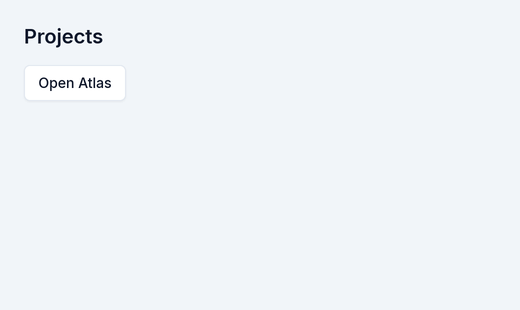
import { InterFont } from "@kit-fonts/inter.slint";
// SPDX-License-Identifier: GPL-3.0-or-later
import { KitRouter, KitScreen, KitButton, KitCard, RouteChange, KitTheme, KitThemes } from "@kit";
// In an application, Rust owns the stack with `Router<R>` and projects `route`, `change` and `can-go-back`.
export enum DemoRoute { projects, details, edit }

export component Example inherits Window {
    in-out property <string> status;
    default-font-family: InterFont.family;
    title: "KitRouter example";
    preferred-width: 520px;
    preferred-height: 310px;
    max-width: 100000px;
    max-height: 100000px;
    background: root.theme.canvas;
    in-out property <KitTheme> theme: KitThemes.light;
    in-out property <DemoRoute> route: DemoRoute.projects;
    in-out property <RouteChange> change: RouteChange.replace;
    out property <bool> can-go-back: root.route != DemoRoute.projects;

    KitRouter {
        can-go-back: root.can-go-back;
        back => { root.change = RouteChange.pop; root.route = root.route == DemoRoute.edit ? DemoRoute.details : DemoRoute.projects; }
        KitScreen {
            theme: root.theme; active: root.route == DemoRoute.projects; change: root.change;
            VerticalLayout { padding: 24px; spacing: 16px; alignment: start;
                Text { text: "Projects"; color: root.theme.text-primary; font-size: 20px * root.theme.text-scale; font-weight: 600; }
                KitButton { theme: root.theme; text: "Open Atlas"; activated => { root.change = RouteChange.push; root.route = DemoRoute.details; } }
            }
        }
        KitScreen {
            theme: root.theme; active: root.route == DemoRoute.details; change: root.change;
            VerticalLayout { padding: 24px; spacing: 16px; alignment: start;
                Text { text: "Atlas"; color: root.theme.text-primary; font-size: 20px * root.theme.text-scale; font-weight: 600; }
                Text { text: "Press Escape or Back to return to the list."; color: root.theme.text-secondary; wrap: word-wrap; }
                KitButton { theme: root.theme; text: "Edit"; activated => { root.change = RouteChange.push; root.route = DemoRoute.edit; } }
            }
        }
        KitScreen {
            theme: root.theme; active: root.route == DemoRoute.edit; change: root.change;
            VerticalLayout { padding: 24px; spacing: 16px; alignment: start;
                Text { text: "Edit Atlas"; color: root.theme.text-primary; font-size: 20px * root.theme.text-scale; font-weight: 600; }
                KitButton { theme: root.theme; text: "Back"; activated => { root.change = RouteChange.pop; root.route = DemoRoute.details; } }
            }
        }
    }
}
Public API
Inherits Rectangle.
Properties
The "Default" column repeats the initializer declared in the source; "—" is the zero value of the type, and a composite expression points to the source.
| Name | Type | Direction | Default |
|---|---|---|---|
can-go-back |
bool |
in |
— |
modal-layer |
int |
in |
— |
Callbacks
back()
Functions
take-focus()