
Password Field for Slint
KitPasswordField · Slint Kit 0.3.0
Masked native input for a password.
Try the component
Download the complete project, extract it and run cargo run --locked in its folder. Rust 1.92+; Slint Kit 0.3.0 from crates.io. You can also copy the four files below.
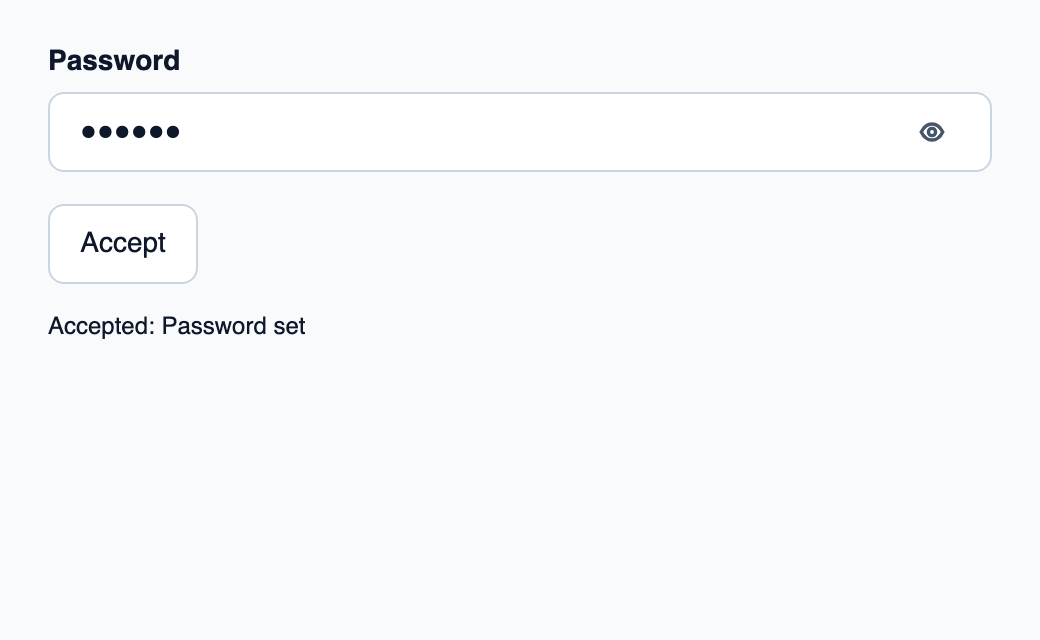
Enter a password and Accept. Rust stores the accepted draft and displays only its character count. Empty drafts keep the previous password.
ui/app.slint
export { KitFormValidation, HtmlInputKind, NumberInputFormat, KitInputConstraints, KitValidationResult, KitValidityState } from "@kit/kit.slint";
import { KitPasswordField, KitButton, KitThemes, ValidationPresentation } from "@kit/kit.slint";
export component App inherits Window {
    title: "Password"; preferred-width: 520px; preferred-height: 320px;
    max-width: 100000px; max-height: 100000px; background: KitThemes.light.canvas;
    in-out property <string> draft; in property <string> error; in property <string> accepted;
    callback edited(string); callback commit(); callback blurred(); callback cancel();

    VerticalLayout {
        padding: 24px; spacing: 16px; alignment: start;
        control := KitPasswordField {
            required: true;
            label: "Password"; text <=> root.draft; error: root.error;
            validation: root.error != "" ? ValidationPresentation.invalid : ValidationPresentation.pristine;

            edited(value) => { root.edited(value); }
            commit-requested(value) => { root.commit(); }
            cancelled => { root.cancel(); }
            focus-observed(focused) => { if (!focused) { root.blurred(); } }

        }
        KitButton { text: "Accept"; activated => { root.commit(); } }
        Text { text: "Accepted: " + root.accepted; color: KitThemes.light.text-primary; wrap: word-wrap; }
    }
}
src/main.rs
use slint::ComponentHandle;
use slint_kit::*;
slint::include_modules!();
#[derive(Clone, PartialEq)]
struct Value(String);
fn parse(text: &str) -> DraftValue<Value> {
    if text.is_empty() {
        DraftValue::Empty
    } else {
        DraftValue::Parsed(Value(text.into()))
    }
}
fn format(value: &Value) -> String {
    value.0.clone()
}
fn main() -> Result<(), slint::PlatformError> {
    let app = App::new()?;
    slint_kit::init_form_validation!(self, app);
    let initial = Value("secret".into());
    app.set_accepted("Password set".into());
    let weak = app.as_weak();
    let field = FieldBinding::<Value, ()>::new(
        Some(initial),
        Ownership::Local,
        CommitPolicy::OnBlur,
        AbsencePolicy::Required,
        parse,
        format,
        |_| String::new(),
        move |view| {
            if let Some(app) = weak.upgrade() {
                app.set_draft(view.draft.into());
                app.set_error(view.error.into());
            }
        },
    );
    field.set_html_constraints(slint_kit::HtmlConstraints {
        kind: slint_kit::HtmlInputKind::Password, required: true,
        ..Default::default()
    });
    let weak = app.as_weak();
    field.on_intent(move |intent| {
        if let Some(app) = weak.upgrade() {
            if let FieldIntent::Commit(value) = intent {
                app.set_accepted(format!("{} characters accepted", value.0.chars().count()).into());
            }
        }
    });
    let binding = field.clone();
    app.on_edited(move |text| {
        let _ = binding.edited(&text);
    });
    let binding = field.clone();
    app.on_commit(move || {
        let _ = binding.commit(CommitTrigger::Submit);
    });
    let binding = field.clone();
    app.on_blurred(move || {
        let _ = binding.commit(CommitTrigger::Blur);
    });
    let binding = field.clone();
    app.on_cancel(move || binding.cancel());

    app.run()
}
Cargo.toml and build.rs
Cargo.toml
[package]
name = "slint-kit-password-field-example"
version = "0.1.0"
edition = "2024"
rust-version = "1.92"
license = "GPL-3.0-or-later"
publish = false

[dependencies]
slint-kit = "=0.3.0"
slint = { version = "=1.18.1", default-features = false, features = ["std", "compat-1-18", "backend-winit", "renderer-skia", "accessibility"] }

[build-dependencies]
slint-kit-build = "=0.3.0"

[workspace]
build.rs
fn main() {
    slint_kit_build::compile("ui/app.slint").expect("compile component example");
}
Files: Cargo.toml · build.rs · ui/app.slint · src/main.rs
Bind the text draft and connect commit and cancel callbacks. Add your own password rules in the parser.
The example accepts nonempty input and displays only the accepted character count. Masking does not encrypt stored text.
Choose between built-in options and custom composition
Shared options
label— built-in property; custom composition exampledescription— built-in property; custom composition exampleerror— built-in property; custom composition example
Visual composition
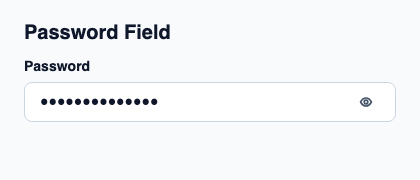
The file below produces the screenshot. For controller-driven components, it shows the displayed state without supplying the Rust wiring. Create a project.
Show the screenshot source
// SPDX-License-Identifier: GPL-3.0-or-later
import { KitPasswordField, KitTheme, KitThemes } from "@kit/kit.slint";

export component Example inherits Window {
    title: "KitPasswordField example";
    preferred-width: 420px;
    preferred-height: 180px;
    max-width: 100000px;
    max-height: 100000px;
    background: root.theme.canvas;
    in-out property <KitTheme> theme: KitThemes.light;
    in-out property <string> status;
    VerticalLayout {
        padding: 24px; spacing: 16px; alignment: start;
        Text { text: "Password Field"; color: root.theme.text-primary; font-size: 20px * root.theme.text-scale; font-weight: 600; }
        KitPasswordField { theme: root.theme; label: "Password"; text: "keep-it-secret"; edited(value) => { root.status = "Draft: " + value; } }
        if root.status != "": Text { text: root.status; color: root.theme.text-secondary; font-size: 12px * root.theme.text-scale; wrap: word-wrap; }
    }
}
Public API
Inherits KitTextField.
Available inherited properties
| Name | Type | Defined on |
|---|---|---|
theme |
KitTheme |
KitTextField |
control-size |
ControlSize |
KitTextField |
access |
FieldAccess |
KitTextField |
validation |
ValidationPresentation |
KitTextField |
purpose |
TextPurpose |
KitTextField |
input-type |
InputType |
KitTextField |
input-kind |
HtmlInputKind |
KitTextField |
validation-twelve-hour |
bool |
KitTextField |
number-format |
NumberInputFormat |
KitTextField |
required |
bool |
KitTextField |
multiple |
bool |
KitTextField |
min-length |
int |
KitTextField |
max-length |
int |
KitTextField |
pattern |
string |
KitTextField |
pattern-enabled |
bool |
KitTextField |
min |
string |
KitTextField |
max |
string |
KitTextField |
step |
string |
KitTextField |
default-value |
string |
KitTextField |
validation-timing |
ValidationTiming |
KitTextField |
custom-validity |
string |
KitTextField |
required-message |
string |
KitTextField |
email-message |
string |
KitTextField |
url-message |
string |
KitTextField |
pattern-message |
string |
KitTextField |
too-short-message |
string |
KitTextField |
too-long-message |
string |
KitTextField |
underflow-message |
string |
KitTextField |
overflow-message |
string |
KitTextField |
step-message |
string |
KitTextField |
bad-input-message |
string |
KitTextField |
validity |
KitValidityState |
KitTextField |
will-validate |
bool |
KitTextField |
validation-ready |
bool |
KitTextField |
validation-message |
string |
KitTextField |
pattern-error |
string |
KitTextField |
value |
string |
KitTextField |
dirty |
bool |
KitTextField |
touched |
bool |
KitTextField |
secret-visibility |
SecretVisibility |
KitTextField |
line-mode |
TextLineMode |
KitTextField |
resize-policy |
ResizePolicy |
KitTextField |
min-lines |
int |
KitTextField |
max-lines |
int |
KitTextField |
label |
string |
KitTextField |
accessible-name |
string |
KitTextField |
input-method-hints |
InputMethodHints |
KitTextField |
show-validation-message |
bool |
KitTextField |
validation-visible |
bool |
KitTextField |
description |
string |
KitTextField |
error |
string |
KitTextField |
placeholder |
string |
KitTextField |
text-letter-spacing |
length |
KitTextField |
text-alignment |
TextHorizontalAlignment |
KitTextField |
prefix |
string |
KitTextField |
suffix |
string |
KitTextField |
text |
string |
KitTextField |
show-character-count |
bool |
KitTextField |
character-count |
int |
KitTextField |
reveal-label |
string |
KitTextField |
hide-label |
string |
KitTextField |
clear-label |
string |
KitTextField |
character-count-label |
string |
KitTextField |
checking-label |
string |
KitTextField |
has-focus |
bool |
KitTextField |