
App Shell for Slint
KitAppShell · Slint Kit 0.3.0
Window background that arranges an application’s main regions.
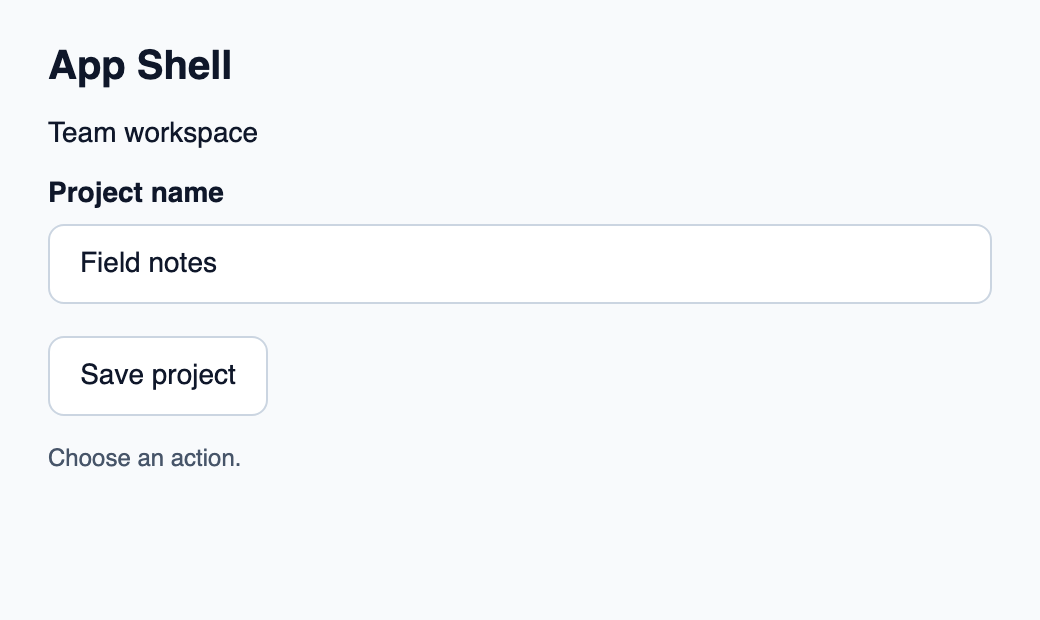
Try the component
Download the complete project, extract it and run cargo run --locked in its folder. Rust 1.92+; Slint Kit 0.3.0 from crates.io. You can also copy the four files below.
Click Save project: Rust handles the command and updates the action count.
ui/app.slint
export { KitFormValidation, HtmlInputKind, NumberInputFormat, KitInputConstraints, KitValidationResult, KitValidityState } from "@kit/kit.slint";
// SPDX-License-Identifier: GPL-3.0-or-later
import { KitAppShell, KitStack, KitButton, KitTextField, KitTheme, KitThemes } from "@kit/kit.slint";

export enum DemoAction { save-project }

export component App inherits Window {
    title: "KitAppShell example";
    preferred-width: 520px;
    preferred-height: 310px;
    max-width: 100000px;
    max-height: 100000px;
    background: root.theme.canvas;
    in-out property <KitTheme> theme: KitThemes.light;
    in-out property <string> draft-0: "Field notes";
    in property <string> status: "Choose an action.";
    callback action-requested(DemoAction);
    VerticalLayout {
        padding: 24px; spacing: 16px; alignment: start;
        Text { text: "App Shell"; color: root.theme.text-primary; font-size: 20px * root.theme.text-scale; font-weight: 600; }
        KitAppShell { theme: root.theme; KitStack { Text { text: "Team workspace"; color: root.theme.text-primary; font-size: 14px * root.theme.text-scale; wrap: word-wrap; }KitTextField { theme: root.theme; label: "Project name"; text <=> root.draft-0; }KitButton { theme: root.theme; text: "Save project"; activated => { root.action-requested(DemoAction.save-project); } } } }
        Text { text: root.status; color: root.theme.text-secondary; wrap: word-wrap; }
    }
}
src/main.rs
// SPDX-License-Identifier: GPL-3.0-or-later
use slint::ComponentHandle;
use std::cell::Cell;
slint::include_modules!();

fn main() -> Result<(), slint::PlatformError> {
    let app = App::new()?;
    slint_kit::init_form_validation!(self, app);
    let count = Cell::new(0_u32);
    let weak = app.as_weak();
    app.on_action_requested(move |action| {
        if let Some(app) = weak.upgrade() {
            let next = count.get().checked_add(1).expect("action count capacity");
            count.set(next);
            let label = match action {
                DemoAction::SaveProject => "Save project",
            };
            app.set_status(format!("{label} handled by Rust ({next})").into());
        }
    });
    app.run()
}
Cargo.toml and build.rs
Cargo.toml
[package]
name = "slint-kit-app-shell-example"
version = "0.1.0"
edition = "2024"
rust-version = "1.92"
license = "GPL-3.0-or-later"
publish = false

[dependencies]
slint-kit = "=0.3.0"
slint = { version = "=1.18.1", default-features = false, features = ["std", "compat-1-18", "backend-winit", "renderer-skia", "accessibility"] }

[build-dependencies]
slint-kit-build = "=0.3.0"

[workspace]
build.rs
fn main() {
    slint_kit_build::compile("ui/app.slint").expect("compile component example");
}
Files: Cargo.toml · build.rs · ui/app.slint · src/main.rs
Place header, content and footer as ordinary children. Choose which child consumes remaining height through its vertical stretch.
The shell fills its parent and paints theme.canvas. It creates no implicit navigation or scrolling.
Visual composition
The file below produces the screenshot. For controller-driven components, it shows the displayed state without supplying the Rust wiring. Create a project.
Show the screenshot source
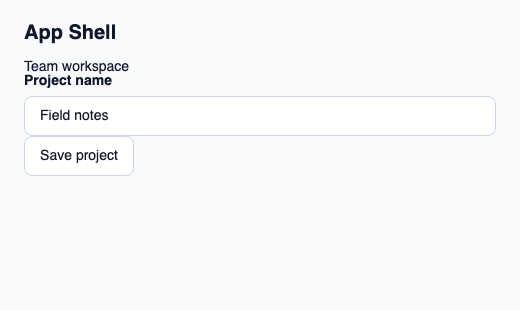
// SPDX-License-Identifier: GPL-3.0-or-later
import { KitAppShell, KitButton, KitTextField, KitTheme, KitThemes } from "@kit/kit.slint";

export component Example inherits Window {
    title: "KitAppShell example";
    preferred-width: 520px;
    preferred-height: 310px;
    max-width: 100000px;
    max-height: 100000px;
    background: root.theme.canvas;
    in-out property <KitTheme> theme: KitThemes.light;
    in-out property <string> status;
    VerticalLayout {
        padding: 24px; spacing: 16px; alignment: start;
        Text { text: "App Shell"; color: root.theme.text-primary; font-size: 20px * root.theme.text-scale; font-weight: 600; }
        KitAppShell { theme: root.theme;Text { text: "Team workspace"; color: root.theme.text-primary; font-size: 14px * root.theme.text-scale; wrap: word-wrap; }KitTextField { theme: root.theme; label: "Project name"; text: "Field notes"; }KitButton { theme: root.theme; text: "Save project"; activated => { root.status = "Action requested"; } } }
        if root.status != "": Text { text: root.status; color: root.theme.text-secondary; font-size: 12px * root.theme.text-scale; wrap: word-wrap; }
    }
}
Public API
Inherits Rectangle.
Properties
| Name | Type | Direction |
|---|---|---|
theme |
KitTheme |
in |
gap |
LayoutSpace |
in |
Types and variants
| Type | Declaration |
|---|---|
enum LayoutSpace |
none, tight, compact, regular, roomy, section |