
Form Button for Slint
KitFormButton · Slint Kit 0.3.1
Button that emits a typed form intent.
Try the component
Download the complete project, extract it and run cargo run --locked in its folder. Rust 1.92+; Slint Kit 0.3.0 from crates.io. You can also copy the four files below.
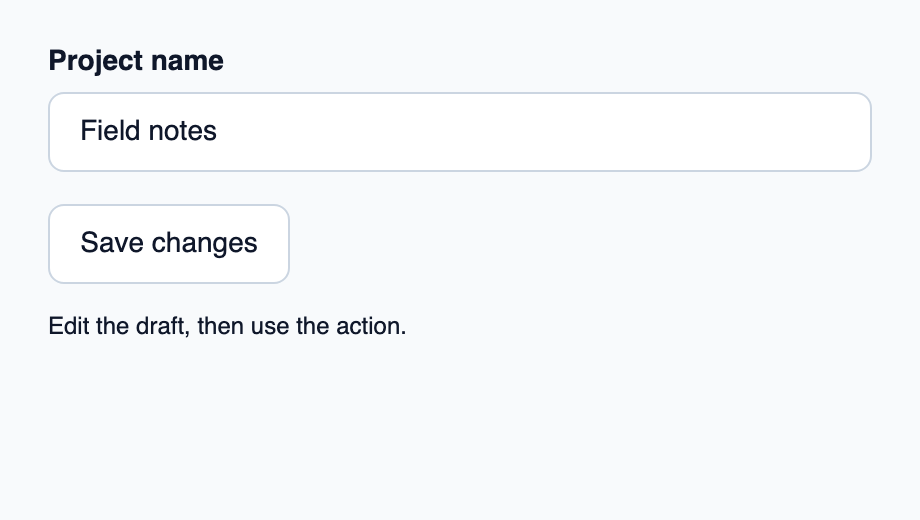
Edit the name and click Save changes: Rust accepts a non-empty name and displays it.
ui/app.slint
export { KitFormValidation, HtmlInputKind, NumberInputFormat, KitInputConstraints, KitValidationResult, KitValidityState } from "@kit/kit.slint";
// SPDX-License-Identifier: GPL-3.0-or-later
import { KitFormButton, KitTextField, KitThemes, FormAction } from "@kit/kit.slint";
export { FormAction }
export component App inherits Window {
    title: "KitFormButton";
    preferred-width: 460px;
    preferred-height: 260px;
    max-width: 100000px;
    max-height: 100000px;
    background: KitThemes.light.canvas;
    in-out property <string> draft: "Field notes";
    in property <string> result: "Edit the draft, then use the action.";
    callback form-action(FormAction, string);
    VerticalLayout {
        padding: 24px; spacing: 16px; alignment: start;
        KitTextField { label: "Project name"; text <=> root.draft; }
        action := KitFormButton { text: "Save changes"; form-action(action) => { root.form-action(action, root.draft); } }
        Text { text: root.result; color: KitThemes.light.text-primary; wrap: word-wrap; }
    }
}
src/main.rs
// SPDX-License-Identifier: GPL-3.0-or-later
use slint::ComponentHandle;
slint::include_modules!();

struct ProjectName(String);
impl ProjectName {
    fn parse(draft: &str) -> Option<Self> {
        let name = draft.trim();
        (!name.is_empty()).then(|| Self(name.into()))
    }
}

fn main() -> Result<(), slint::PlatformError> {
    let app = App::new()?;
    slint_kit::init_form_validation!(self, app);
    let weak = app.as_weak();
    app.on_form_action(move |action, draft| {
        if let Some(app) = weak.upgrade() {
            match action {
                FormAction::Reset => {
                    app.set_draft("Field notes".into());
                    app.set_result("Draft reset to Field notes".into());
                }
                FormAction::Submit => {
                    let result = match ProjectName::parse(&draft) {
                        Some(name) => format!("Accepted in Rust: {}", name.0),
                        None => "Enter a project name before submitting".into(),
                    };
                    app.set_result(result.into());
                }
            }
        }
    });
    app.run()
}
Cargo.toml and build.rs
Cargo.toml
[package]
name = "slint-kit-form-button-example"
version = "0.1.0"
edition = "2024"
rust-version = "1.92"
license = "GPL-3.0-or-later"
publish = false

[dependencies]
slint-kit = "=0.3.0"
slint = { version = "=1.18.1", default-features = false, features = ["std", "compat-1-18", "backend-winit", "renderer-skia", "accessibility"] }

[build-dependencies]
slint-kit-build = "=0.3.0"

[workspace]
build.rs
fn main() {
    slint_kit_build::compile("ui/app.slint").expect("compile component example");
}
Files: Cargo.toml · build.rs · ui/app.slint · src/main.rs
Set action to FormAction.submit or .reset, then handle form-action(action) in Rust. The example passes the current draft to that callback.
Activation emits the current intent without submitting or resetting fields itself. busy and disabled come from KitButton.
Visual composition
The file below produces the screenshot. For controller-driven components, it shows the displayed state without supplying the Rust wiring. Create a project.
Show the screenshot source
// SPDX-License-Identifier: GPL-3.0-or-later
import { KitFormButton, KitTheme, KitThemes } from "@kit/kit.slint";

export component Example inherits Window {
    title: "KitFormButton example";
    preferred-width: 360px;
    preferred-height: 160px;
    max-width: 100000px;
    max-height: 100000px;
    background: root.theme.canvas;
    in-out property <KitTheme> theme: KitThemes.light;
    in-out property <string> status;
    VerticalLayout {
        padding: 24px; spacing: 16px; alignment: start;
        Text { text: "Form Button"; color: root.theme.text-primary; font-size: 20px * root.theme.text-scale; font-weight: 600; }
        KitFormButton { theme: root.theme; text: "Save changes"; activated => { root.status = "Action requested"; } }
        if root.status != "": Text { text: root.status; color: root.theme.text-secondary; font-size: 12px * root.theme.text-scale; wrap: word-wrap; }
    }
}
Public API
Inherits KitButton.
Properties
| Name | Type | Direction |
|---|---|---|
action |
FormAction |
in |
form-no-validate |
bool |
in |
Available inherited properties
| Name | Type | Defined on |
|---|---|---|
theme |
KitTheme |
KitPressable |
intent |
ButtonIntent |
KitPressable |
control-size |
ControlSize |
KitPressable |
control-width |
ControlWidth |
KitPressable |
recipe |
ButtonRecipe |
KitPressable |
accessible-name |
string |
KitPressable |
disabled |
bool |
KitPressable |
busy |
bool |
KitPressable |
tab-stop |
bool |
KitPressable |
hovered |
bool |
KitPressable |
pressed |
bool |
KitPressable |
has-focus |
bool |
KitPressable |
focus-visible |
bool |
KitPressable |
text |
string |
KitButton |
Types and variants
| Type | Declaration |
|---|---|
enum FormAction |
submit, reset |
Callbacks
validation-requested() → boolform-action(FormAction)