
Steps for Slint
KitSteps · Slint Kit 0.3.0
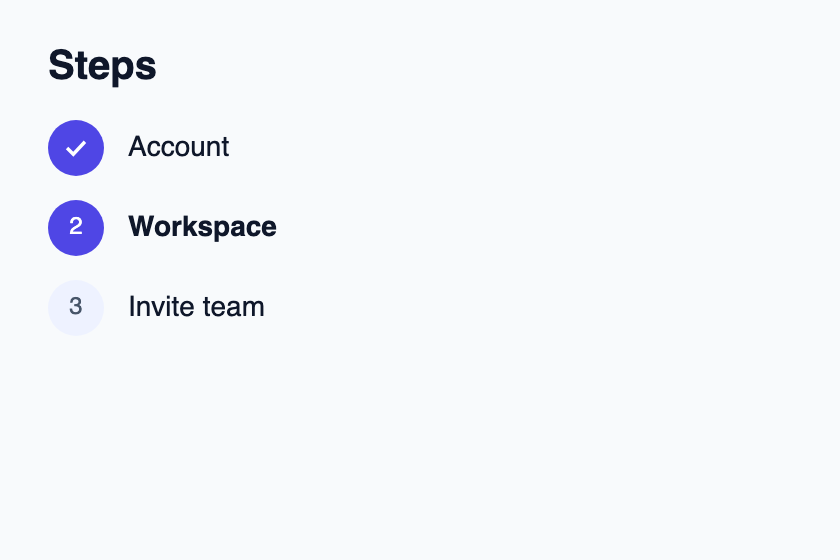
Step indicator with explicit progress states.
Try the component
Download the complete project, extract it and run cargo run --locked in its folder. Rust 1.92+; Slint Kit 0.3.0 from crates.io. You can also copy the four files below.
Run the app to inspect this composition and resize its window.
ui/app.slint
export { KitFormValidation, HtmlInputKind, NumberInputFormat, KitInputConstraints, KitValidationResult, KitValidityState } from "@kit/kit.slint";
// SPDX-License-Identifier: GPL-3.0-or-later
import { KitSteps, KitTheme, KitThemes, StepState } from "@kit/kit.slint";

export component App inherits Window {
    title: "KitSteps example";
    preferred-width: 420px;
    preferred-height: 280px;
    max-width: 100000px;
    max-height: 100000px;
    background: root.theme.canvas;
    in-out property <KitTheme> theme: KitThemes.light;
    VerticalLayout {
        padding: 24px; spacing: 16px; alignment: start;
        Text { text: "Steps"; color: root.theme.text-primary; font-size: 20px * root.theme.text-scale; font-weight: 600; }
        KitSteps { theme: root.theme; entries: [{ token: 11, label: "Account", state: StepState.complete }, { token: 23, label: "Workspace", state: StepState.current }, { token: 38, label: "Invite team", state: StepState.pending }]; }
    }
}
src/main.rs
// SPDX-License-Identifier: GPL-3.0-or-later
slint::include_modules!();

fn main() -> Result<(), slint::PlatformError> {
    let app = App::new()?;
    slint_kit::init_form_validation!(self, app);
    app.run()
}
Cargo.toml and build.rs
Cargo.toml
[package]
name = "slint-kit-steps-example"
version = "0.1.0"
edition = "2024"
rust-version = "1.92"
license = "GPL-3.0-or-later"
publish = false

[dependencies]
slint-kit = "=0.3.0"
slint = { version = "=1.18.1", default-features = false, features = ["std", "compat-1-18", "backend-winit", "renderer-skia", "accessibility"] }

[build-dependencies]
slint-kit-build = "=0.3.0"

[workspace]
build.rs
fn main() {
    slint_kit_build::compile("ui/app.slint").expect("compile component example");
}
Files: Cargo.toml · build.rs · ui/app.slint · src/main.rs
Supply StepEntry values with a stable token, label and StepState.pending, .current, .complete or .error. Project state from your domain workflow.
The visual number follows entry order while the token remains step identity. Completed steps show a check, and accessible labels include state.
Visual composition
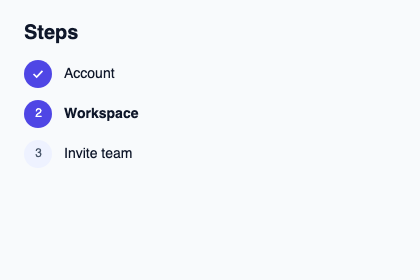
The file below produces the screenshot. For controller-driven components, it shows the displayed state without supplying the Rust wiring. Create a project.
Show the screenshot source
// SPDX-License-Identifier: GPL-3.0-or-later
import { KitSteps, KitTheme, KitThemes, StepState } from "@kit/kit.slint";

export component Example inherits Window {
    title: "KitSteps example";
    preferred-width: 420px;
    preferred-height: 280px;
    max-width: 100000px;
    max-height: 100000px;
    background: root.theme.canvas;
    in-out property <KitTheme> theme: KitThemes.light;
    in-out property <string> status;
    VerticalLayout {
        padding: 24px; spacing: 16px; alignment: start;
        Text { text: "Steps"; color: root.theme.text-primary; font-size: 20px * root.theme.text-scale; font-weight: 600; }
        KitSteps { theme: root.theme; entries: [{ token: 11, label: "Account", state: StepState.complete }, { token: 23, label: "Workspace", state: StepState.current }, { token: 38, label: "Invite team", state: StepState.pending }]; }
        if root.status != "": Text { text: root.status; color: root.theme.text-secondary; font-size: 12px * root.theme.text-scale; wrap: word-wrap; }
    }
}
Public API
Inherits VerticalLayout.
Properties
| Name | Type | Direction |
|---|---|---|
theme |
KitTheme |
in |
entries |
[StepEntry] |
in |
Types and variants
| Type | Declaration |
|---|---|
struct StepEntry |
token: int, label: string, state: StepState |
enum StepState |
pending, current, complete, error |