
Badge for Slint
KitBadge · Slint Kit 0.3.0
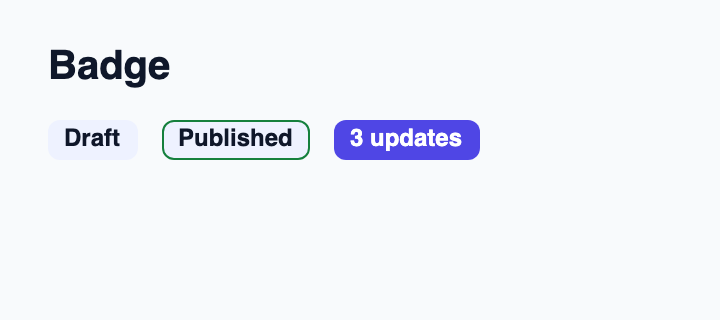
Non-interactive label for a category, count or status.
Try the component
Download the complete project, extract it and run cargo run --locked in its folder. Rust 1.92+; Slint Kit 0.3.0 from crates.io. You can also copy the four files below.
Run the app to inspect this composition and resize its window.
ui/app.slint
export { KitFormValidation, HtmlInputKind, NumberInputFormat, KitInputConstraints, KitValidationResult, KitValidityState } from "@kit/kit.slint";
// SPDX-License-Identifier: GPL-3.0-or-later
import { KitBadge, KitTheme, KitThemes, Tone } from "@kit/kit.slint";

export component App inherits Window {
    title: "KitBadge example";
    preferred-width: 360px;
    preferred-height: 160px;
    max-width: 100000px;
    max-height: 100000px;
    background: root.theme.canvas;
    in-out property <KitTheme> theme: KitThemes.light;
    VerticalLayout {
        padding: 24px; spacing: 16px; alignment: start;
        Text { text: "Badge"; color: root.theme.text-primary; font-size: 20px * root.theme.text-scale; font-weight: 600; }
        HorizontalLayout { alignment: start; spacing: 12px; KitBadge { theme: root.theme; text: "Draft"; } KitBadge { theme: root.theme; text: "Published"; tone: Tone.success; } KitBadge { theme: root.theme; text: "3 updates"; tone: Tone.accent; } }
    }
}
src/main.rs
// SPDX-License-Identifier: GPL-3.0-or-later
slint::include_modules!();

fn main() -> Result<(), slint::PlatformError> {
    let app = App::new()?;
    slint_kit::init_form_validation!(self, app);
    app.run()
}
Cargo.toml and build.rs
Cargo.toml
[package]
name = "slint-kit-badge-example"
version = "0.1.0"
edition = "2024"
rust-version = "1.92"
license = "GPL-3.0-or-later"
publish = false

[dependencies]
slint-kit = "=0.3.0"
slint = { version = "=1.18.1", default-features = false, features = ["std", "compat-1-18", "backend-winit", "renderer-skia", "accessibility"] }

[build-dependencies]
slint-kit-build = "=0.3.0"

[workspace]
build.rs
fn main() {
    slint_kit_build::compile("ui/app.slint").expect("compile component example");
}
Files: Cargo.toml · build.rs · ui/app.slint · src/main.rs
Set text and choose Tone.neutral, .accent, .success, .warning or .danger. Keep an explicit label so meaning does not depend on color alone.
The badge sizes itself from its text and does not consume remaining space. Semantic tones use theme colors without adding button behavior.
Visual composition
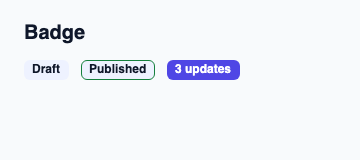
The file below produces the screenshot. For controller-driven components, it shows the displayed state without supplying the Rust wiring. Create a project.
Show the screenshot source
// SPDX-License-Identifier: GPL-3.0-or-later
import { KitBadge, KitTheme, KitThemes, Tone } from "@kit/kit.slint";

export component Example inherits Window {
    title: "KitBadge example";
    preferred-width: 360px;
    preferred-height: 160px;
    max-width: 100000px;
    max-height: 100000px;
    background: root.theme.canvas;
    in-out property <KitTheme> theme: KitThemes.light;
    in-out property <string> status;
    VerticalLayout {
        padding: 24px; spacing: 16px; alignment: start;
        Text { text: "Badge"; color: root.theme.text-primary; font-size: 20px * root.theme.text-scale; font-weight: 600; }
        HorizontalLayout { alignment: start; spacing: 12px; KitBadge { theme: root.theme; text: "Draft"; } KitBadge { theme: root.theme; text: "Published"; tone: Tone.success; } KitBadge { theme: root.theme; text: "3 updates"; tone: Tone.accent; } }
        if root.status != "": Text { text: root.status; color: root.theme.text-secondary; font-size: 12px * root.theme.text-scale; wrap: word-wrap; }
    }
}
Public API
Inherits Rectangle.
Properties
| Name | Type | Direction |
|---|---|---|
theme |
KitTheme |
in |
text |
string |
in |
tone |
Tone |
in |
Types and variants
| Type | Declaration |
|---|---|
enum Tone |
neutral, accent, success, warning, danger |