
Card Body for Slint
KitCardBody · Slint Kit 0.3.0
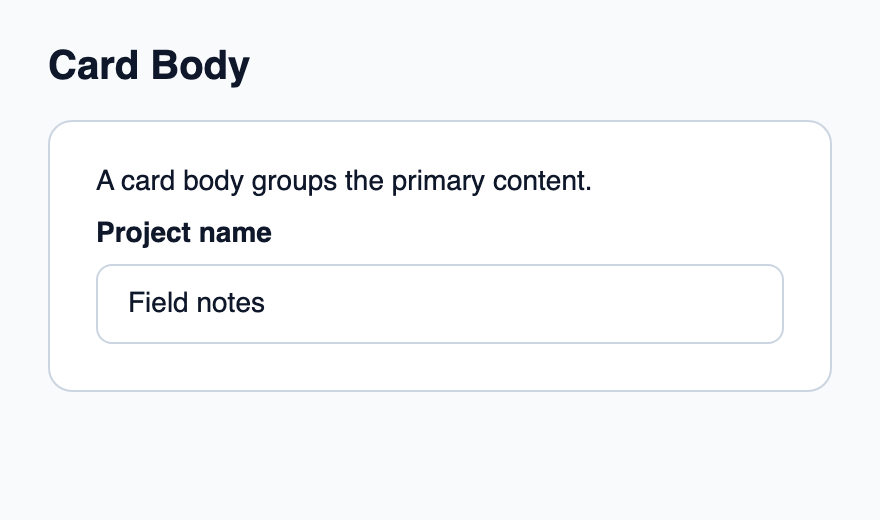
Main content column within a card.
Try the component
Download the complete project, extract it and run cargo run --locked in its folder. Rust 1.92+; Slint Kit 0.3.0 from crates.io. You can also copy the four files below.
Run the app to inspect this composition and resize its window.
ui/app.slint
export { KitFormValidation, HtmlInputKind, NumberInputFormat, KitInputConstraints, KitValidationResult, KitValidityState } from "@kit/kit.slint";
// SPDX-License-Identifier: GPL-3.0-or-later
import { KitCard, KitCardBody, KitTextField, KitTheme, KitThemes } from "@kit/kit.slint";

export component App inherits Window {
    title: "KitCardBody example";
    preferred-width: 440px;
    preferred-height: 260px;
    max-width: 100000px;
    max-height: 100000px;
    background: root.theme.canvas;
    in-out property <KitTheme> theme: KitThemes.light;
    in-out property <string> draft-0: "Field notes";
    VerticalLayout {
        padding: 24px; spacing: 16px; alignment: start;
        Text { text: "Card Body"; color: root.theme.text-primary; font-size: 20px * root.theme.text-scale; font-weight: 600; }
        KitCard { theme: root.theme; KitCardBody { Text { text: "A card body groups the primary content."; color: root.theme.text-primary; font-size: 14px * root.theme.text-scale; wrap: word-wrap; } KitTextField { theme: root.theme; label: "Project name"; text <=> root.draft-0; } } }
    }
}
src/main.rs
// SPDX-License-Identifier: GPL-3.0-or-later
slint::include_modules!();

fn main() -> Result<(), slint::PlatformError> {
    let app = App::new()?;
    slint_kit::init_form_validation!(self, app);
    app.run()
}
Cargo.toml and build.rs
Cargo.toml
[package]
name = "slint-kit-card-body-example"
version = "0.1.0"
edition = "2024"
rust-version = "1.92"
license = "GPL-3.0-or-later"
publish = false

[dependencies]
slint-kit = "=0.3.0"
slint = { version = "=1.18.1", default-features = false, features = ["std", "compat-1-18", "backend-winit", "renderer-skia", "accessibility"] }

[build-dependencies]
slint-kit-build = "=0.3.0"

[workspace]
build.rs
fn main() {
    slint_kit_build::compile("ui/app.slint").expect("compile component example");
}
Files: Cargo.toml · build.rs · ui/app.slint · src/main.rs
Place text, fields or data as children between header and footer. Let KitCard own the outer inset.
The body applies 12 px spacing and natural height. It adds no extra background or border.
Visual composition
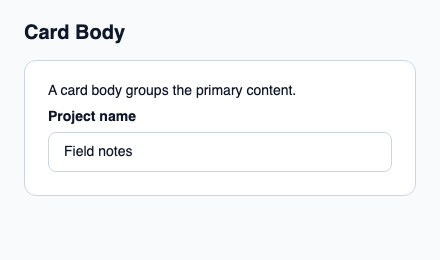
The file below produces the screenshot. For controller-driven components, it shows the displayed state without supplying the Rust wiring. Create a project.
Show the screenshot source
// SPDX-License-Identifier: GPL-3.0-or-later
import { KitCard, KitCardBody, KitTextField, KitTheme, KitThemes } from "@kit/kit.slint";

export component Example inherits Window {
    title: "KitCardBody example";
    preferred-width: 440px;
    preferred-height: 260px;
    max-width: 100000px;
    max-height: 100000px;
    background: root.theme.canvas;
    in-out property <KitTheme> theme: KitThemes.light;
    in-out property <string> status;
    VerticalLayout {
        padding: 24px; spacing: 16px; alignment: start;
        Text { text: "Card Body"; color: root.theme.text-primary; font-size: 20px * root.theme.text-scale; font-weight: 600; }
        KitCard { theme: root.theme; KitCardBody { Text { text: "A card body groups the primary content."; color: root.theme.text-primary; font-size: 14px * root.theme.text-scale; wrap: word-wrap; } KitTextField { theme: root.theme; label: "Project name"; text: "Field notes"; } } }
        if root.status != "": Text { text: root.status; color: root.theme.text-secondary; font-size: 12px * root.theme.text-scale; wrap: word-wrap; }
    }
}
Public API
Inherits VerticalLayout.